
PLUME Staking Guide
Stake PLUME to earn 4.5% APY and additional perks while directly supporting the security and growth of the Plume network.
Why Stake Your PLUME
As an investor, staking is one of the most productive ways to put your tokens to work.

Earn ~5% APY on your holdings (4.5% effective after validator fees)

Priority allocations from ecosystem projects launching on Plume
.svg)
Governance rights to vote on proposals shaping the future of the network

Ecosystem revenue share from real-world yield generated across Plume apps

App-specific perks including lower fees and priority access
Key Terms
Staking APY
5% — the base reward rate paid by the network
Validator Fee
10% of rewards — goes to validators for operating costs
Effective APY
4.5% — your actual return after validator fees
Unstake Period
4.5% — your actual return after validator fees
How to Stake PLUME

Connect your wallet
Using the button in the top right corner or bridge card
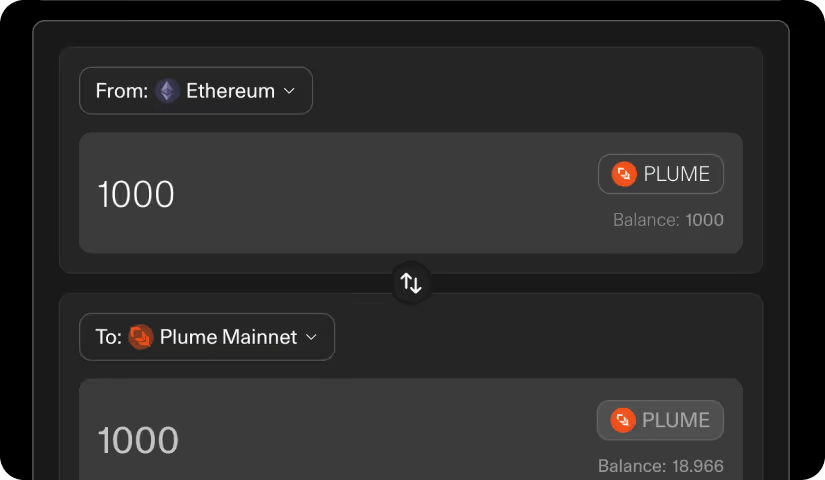
Enter the amount
Select Ethereum → Plume Mainnet.
Enter the amount of PLUME you want to bridge.
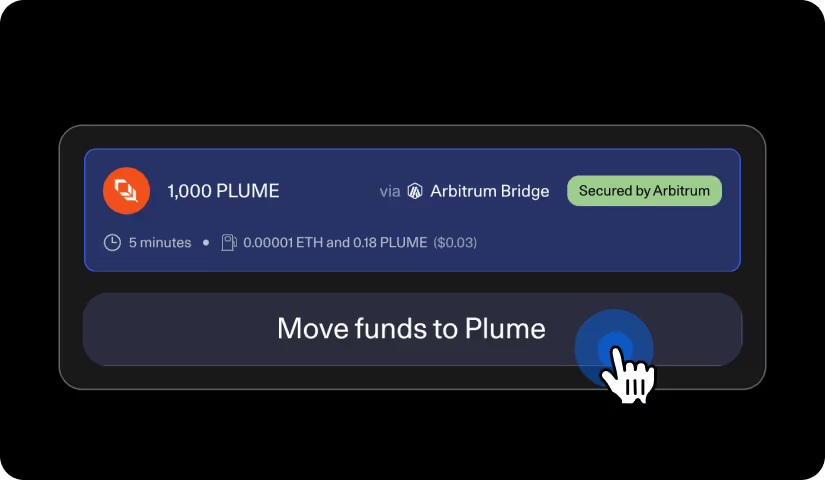
Review details & bridge
Review the details, click “Move funds to Plume”, then confirm the transaction in your wallet.

Connect your wallet
Using the button in the top right corner
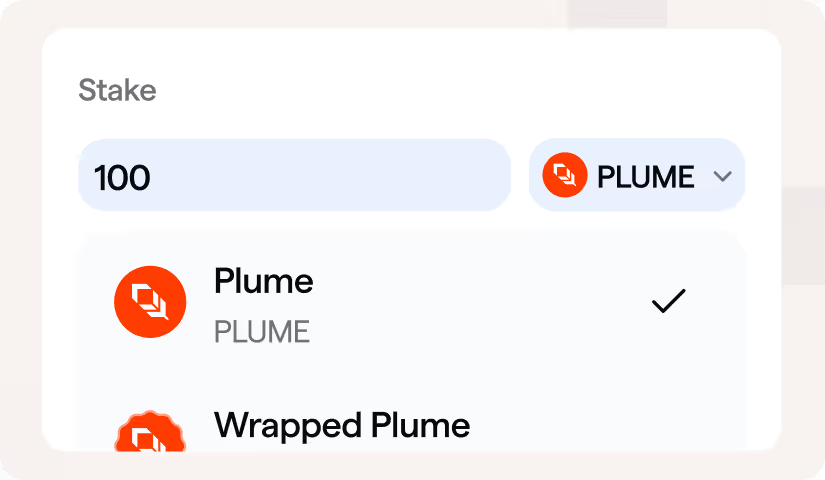
Enter the amount
Enter the amount of PLUME you want to stake
(you can also stake wPLUME directly)
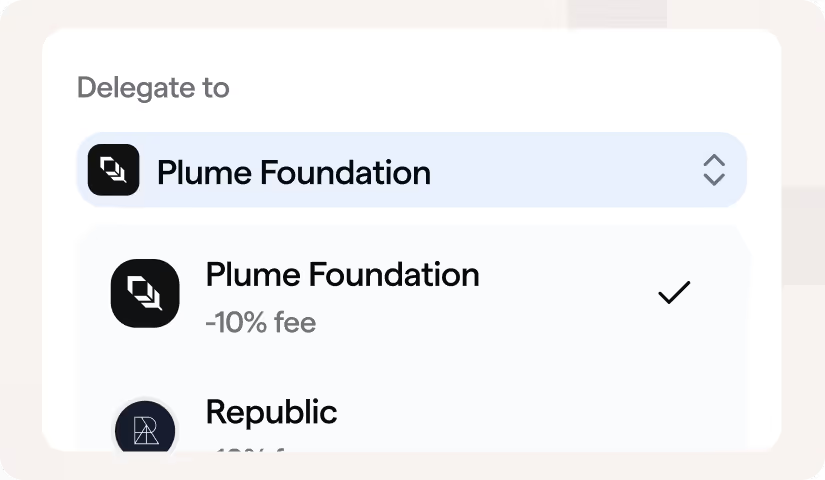
Select a validator
Select a validator from the dropdown — all validators currently charge a 0.5% commission
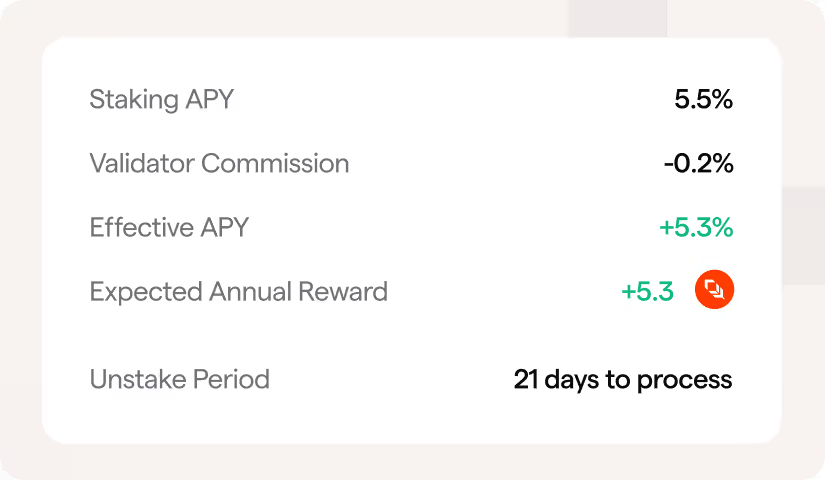
Review details
Review the details including Effective APY and Expected Annual Reward
Stake
Click "Stake" and confirm the transaction in your wallet
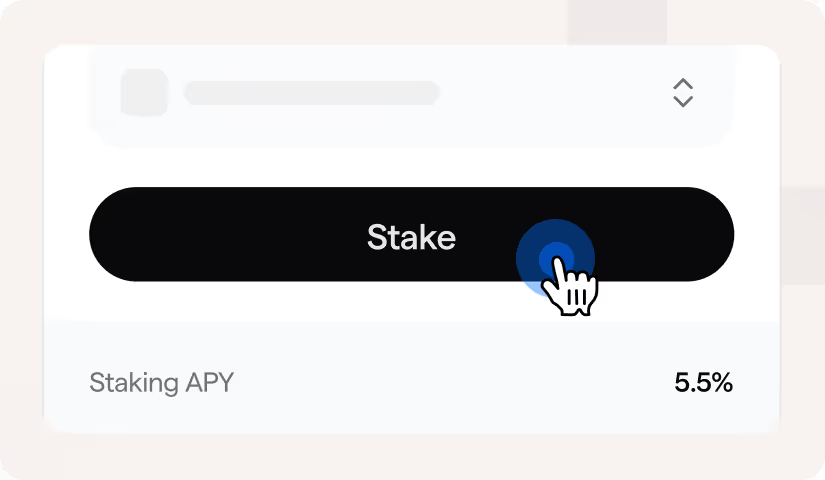

Your position will appear immediately in the "Your Position" section on the left side of the app.
Managing Your Stake

Claiming Rewards
Your stake generates rewards continuously.
To claim, go to the "Rewards" section and click "Claim Rewards." PLUME will be sent directly to your wallet.
.svg)
Compounding (Restaking)
Instead of claiming rewards to your wallet, you can restake them directly to compound your position.
Click "Stake Rewards" in the Rewards section and select the validator you want to delegate to.

Unstaking
You can unstake any amount at any time:
- Go to the "Unstake" tab and select the validator you want to unstake from
- Enter the amount and confirm the transaction
- Wait 21 days — this is a network-enforced security measure
- Once the period ends, click "Withdraw" to retrieve your PLUME



Ready to Stake?
For additional information, please contact your Plume representative or visit docs.plume.org